Rate Calendar
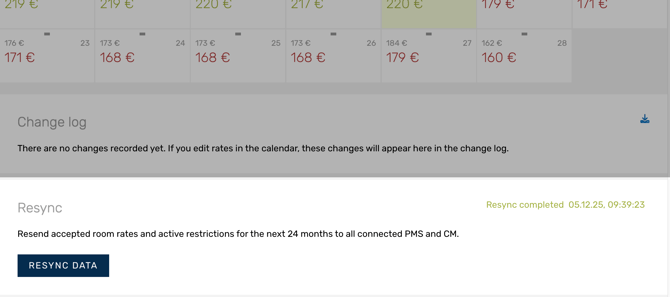
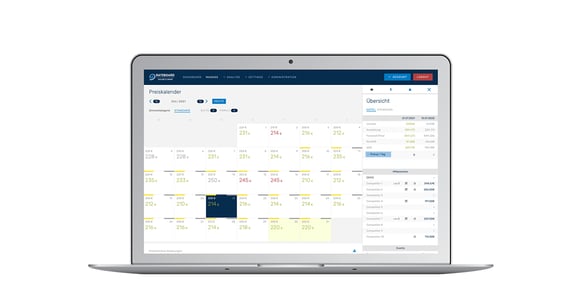
The rate calendar takes up most of the page and provides an overview of all current rate recommendations and active rates. Colour coding makes it clear at a glance whether the recommendation is to increase (green) or reduce (red) the daily rate.
Note: Are you wondering how the suggested rates are calculated? Find the relevant article here:
Calculation of rates
Header:

1) Indicator: Number of significant adjustments (5% higher or lower than the current rate) recommended.
2)Status rate recommendation: shows the status of the automated rate calculation, e.g. even after a recalculation has been started as part of certain configuration changes.
3) Autopilot:
-
- grey robot: autopilot deactivated
- blue robot: autopilot activated
Calendar:
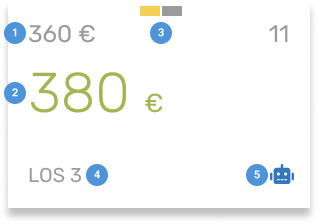
1) Current active rate: the last rate sent to your PMS or CM.
2) Recommendations: RateBoards current recommended rate.
-
- Grey font colour: the recommendation is the same as current rate.
- Green font colour: the recommendation is to increase the rate.
- Green font colour and background: the recommendation to increase the rate significantly (+5% more than the current rate).
Additionally you find an indicator on top next to month and room category how many significant rate recommendations are generated. - Red font colour: the recommendation is to reduce the rate.
- Red font colour and background: the recommendation to reduce the rate significantly (-5% less than the current rate).
Additionally you find an indicator on top next to month and room category how many significant rate recommendations are generated.
-
- Grey: event from last year.
- Yellow: event from current year.
4) Restrictions: set restrictions such as LOS (length of stay), CTA (closed to arrival) and CTD (closed to departure).
5) Autopilot:
-
- Grey robot: autopilot is deactivated
- Red robot: rates are fixed and will not be updated by the autopilot
- Blue robot: autopilot will change the rates
Rates editor
You can select one or multiple days in the rate calendar to make individual changes.
First inform yourself about the rate details in the tabs of the rates editor. It opens in the sidebar on the right after you click on a day in the calendar. Here you find information about KPI’s, competitor rates, calculation base, restrictions or rateplans. Primarily you use the rates tab to accept or adjust manually the rate recommendations.
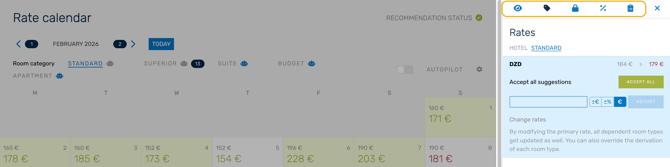
Find a step by step guide for sending rates here: Step by step send rates
Additionally there are single articles available that explain each tab in the rates editor in detail:
Change Log
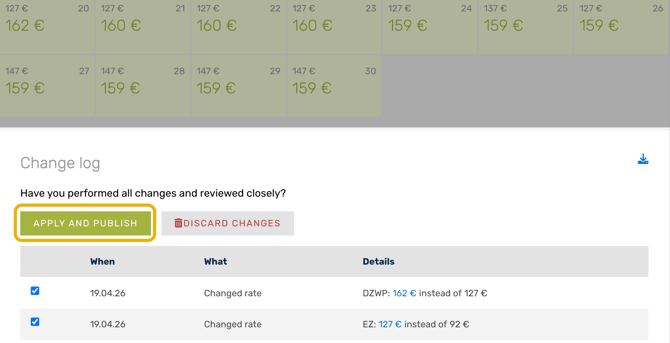
Once you have finished making changes in the rate editor by saving them, the changes are sent to the change log, where you can review all changes before applying and publishing them.
All about change log in detail: Change log
Resync
Resyncing handles the special case when you have made changes in ‘Settings’ and want to resend already confirmed rates to the connected channels.
The resync takes into account already confirmed rates for the next 24 months, new restrictions, new settings in the price configuration, new settings in the rate plans and new settings in the price level calendar and sends this data to all connected channels.
The resync does NOT send new rate recommendations!
Resync more in detail: Resync function