
How your rate recommendations are generated
➡️ The basis: your individual pricing strategy
Your pricing strategy is the framework for each calculation. The system uses the price levels you have defined in a required configuration. In this process your base rates have been applied in the calendar and work as calculation base.
More on configuring rates:
➡️ Dynamics: The algorithm
Our intelligent RateBoard algorithm starts from this base and dynamically adapts rates on demand-oriented factors. The system continuously analyses current occupancy (on-the-books) and future forecast, considering factors such as weekdays, upcoming events, public holidays, vacation periods and other variables.
➡️ Fine-tuning: Parameters and rate rules
Optionally, additional parameters and individual rate rules can also be integrated. In these final steps predefined price rounding or specific rate plans such as early bird discount, are applied as well.
Your own rate rules make pricing particularly flexible and customisable: Certain conditions, such as reaching a specific occupancy or external factors such as the weather forecast, lead to rate adjustments.
Find out more about this topic here:
From this combination of individual strategy and the current situation, the RateBoard algorithm calculates an optimal rate recommendation for each room category and room type. Despite this highly dynamic calculation, you remain in control at all times, as the system automatically limits each suggestion to the minimum or maximum rate you have set.
You can find your rate recommendations here: Manage Calendar
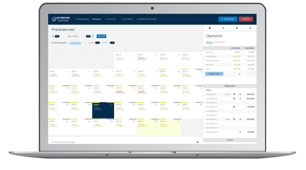
The result of this calculation is presented to you in a transparent overview on Manage Calendar page, with detailed background information available on a daily base at any time. Finally, you have the choice of how the recommendations are processed: you can either check and adapt them manually before approval or fully automate the process using Autopilot. In this mode, the optimised rates are sent directly to your hotel software without any further steps.
You can find more information about Manage Calendar and sending rates here:
 Manage Calendar
Step-by-step guide to sending rates
Autopilot
In addition, the article on the calculation tab in the rate editor provides also a practical example of how rate recommendations are calculated.
Manage detail sidebar: Calculation