
Dashboard
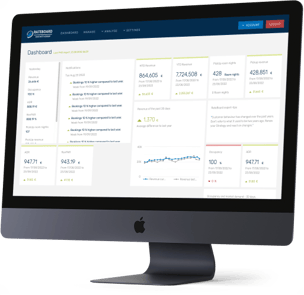
The dashboard is the landing page where you can immediately see the latest figures for the key performance indicators relevant to your perspective and role. It’s your very own personalised cockpit. Whether it’s an annual review, a revenue forecast for the next two weeks, a market comparison or a pick-up trend over the past few days – from now on, stay on top of exactly the key figures that are essential to your day-to-day success. Create up to 10 dashboards with customisable widgets.
Find out more on this page:
Manage Kalender
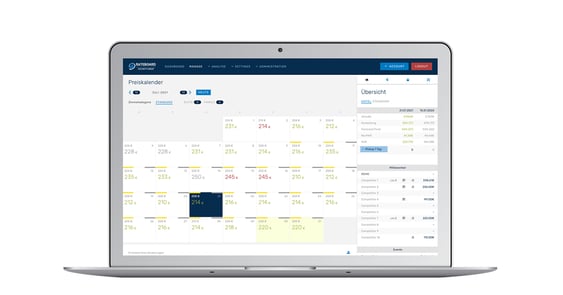
That is the core of RateBoard. The rate calendar shows the daily updated rate recommendations for the upcoming 18 months and sends them either automatically (autopilot) or via a manual approval process to the PMS (property management system) or CM (channel manager). The calendar also offers valuable insights into rate calculations and background information on the booking situation.
Find out more on these pages:
Analyse hotel & market data
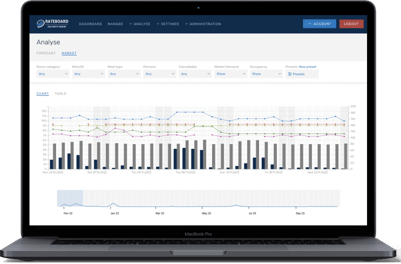
RateBoard offers a range of comprehensive analysis tools. Create customised KPI analyses with just a few clicks or using personal presets, and gain valuable insights into the development of revenue, occupancy, ADR and RevPar. Historical data, market data, forecasts and period comparisons are presented in a clear, easily understandable format.
Find out more on these pages:
Important hotel data
PickUp analysis
Budget analysis
Compare time periods
Analyse market trends
Benchmarking
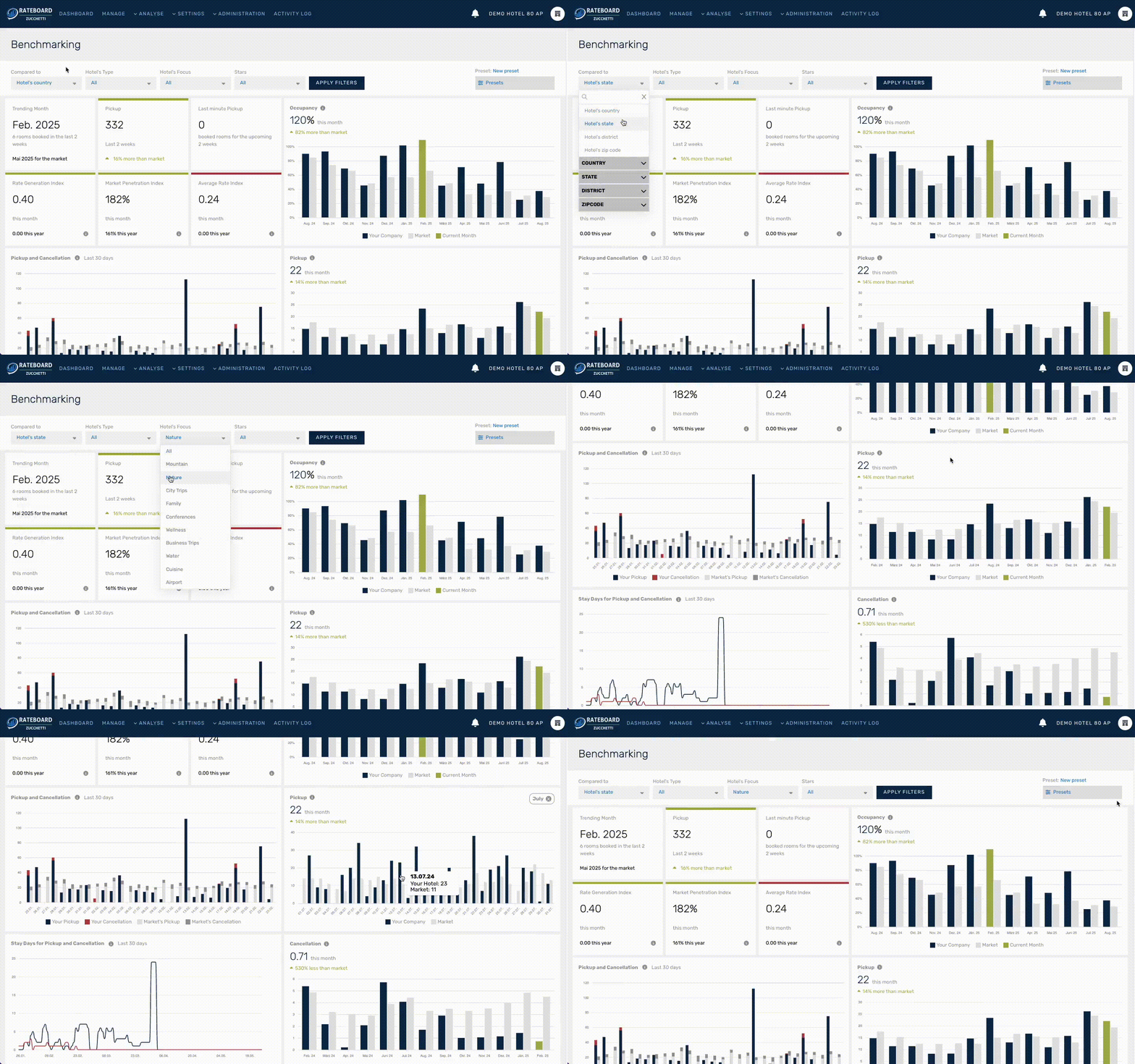
This tool provides a clear understanding of your market position. It allows you to compare your hotel's performance with an anonymised market data set. Filter options ensure that the comparison is only made with relevant competitors.