
▶️ How to resync active rates and settings with my PMS/CM
What means Resync?
The Resync includes already accepted rates for the next 24 months, new restrictions, new settings in room price configuration, new settings in Rate Plans and new settings in price levels (supplements) and sends this data to all integrated channels.
NOTE: Resync does not accept rate recommendations. The Resync sends only accepted rates (shown in grey in the top left corner of each day) and changes made in settings pages.

Important! If you manually adjust rates in the rate calendar, they will not be overwritten, but resent as they are.
Step by step: resync data
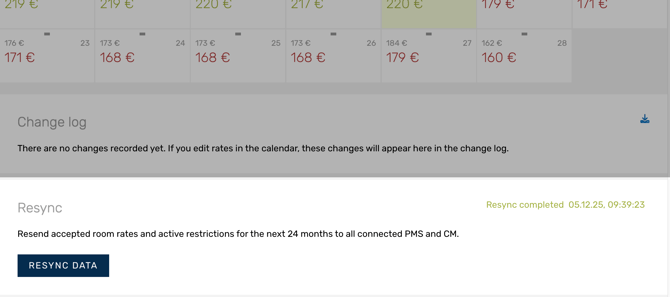
The resync feature can be found at the bottom part of the manage page, right under the change log. After you are done editing restrictions, settings and configurations follow the steps below.
- Click on Resync
- Confirm that you want to resync
- Wait for the process to be done and you are all set!
In case your resync is not successful for some reason, you will be able to check what went wrong in the error log. Make sure you adjust everything pointed by the error log before pressing resync again.